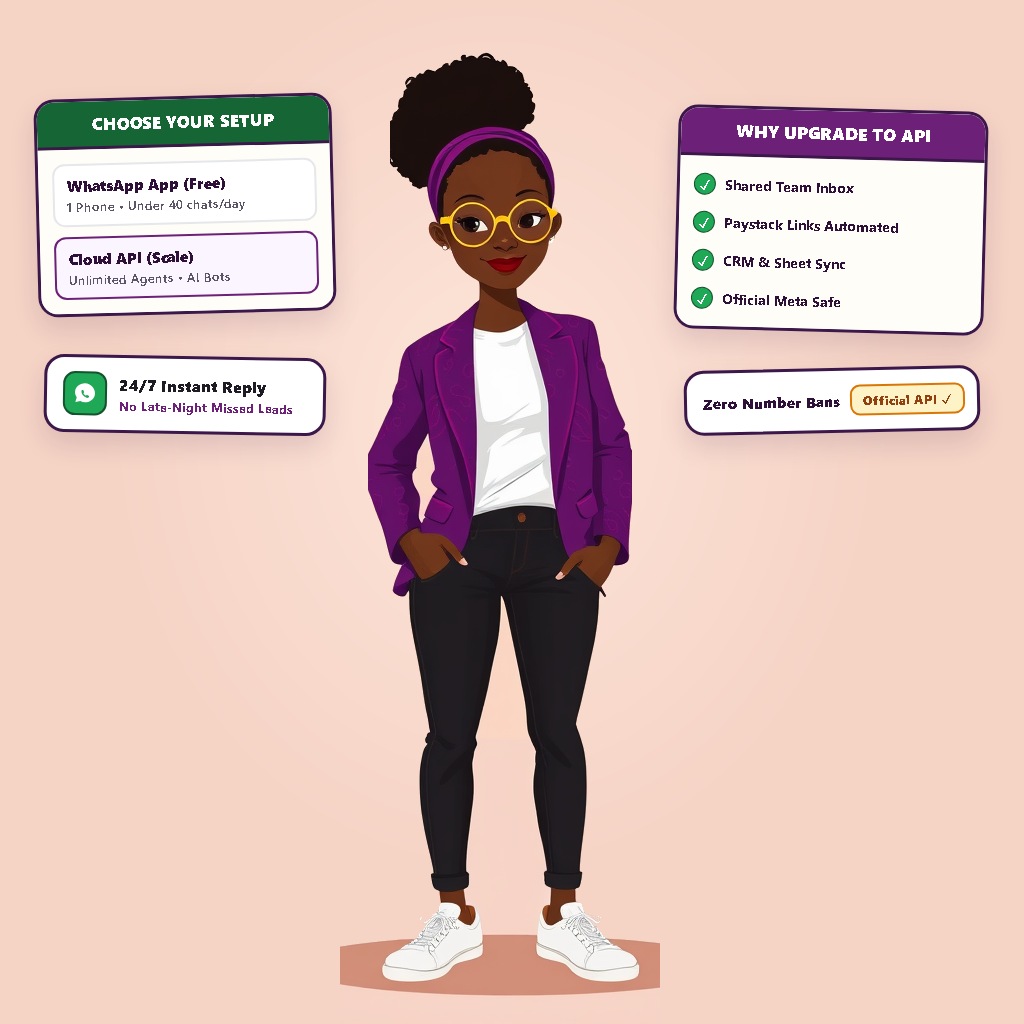
Almost every Nigerian business closes deals on WhatsApp. From fashion brands in Lagos to clinics in Abuja and wholesale suppliers in Aba, customers prefer chatting on WhatsApp over filling out long contact forms.
Once message volume grows past 30 or 40 inquiries a day, business owners start hearing about the WhatsApp Business API. Many assume they must upgrade right away, while others stay stuck on the free mobile app even after their team starts dropping leads. Knowing the real difference saves you money and missed sales.
What Is the Free WhatsApp Business App?
The standard WhatsApp Business App is a free mobile application built for solo founders and very small teams. You download it from the Play Store or App Store, verify your business line, and start replying from your phone.
Key features include:
- A basic business profile with address, hours, and website link
- A product catalog so customers can browse items inside the chat
- Quick replies, greeting messages, and away messages
- Labels to tag chats such as 'New Lead,' 'Pending Payment,' or 'Delivered'
- Linked devices support for up to four companion screens
For businesses handling under 40 conversations a day with one or two staff members, the free app is usually enough.
What Is the WhatsApp Business API (Cloud API)?
The WhatsApp Business Platform (commonly called the Cloud API) is not an app you install on a phone. It is an official enterprise interface provided by Meta that connects your business number directly to automation tools, AI agents, CRMs, and multi-agent team inboxes.
With the API, you unlock capabilities the free mobile app cannot handle:
- True multi-agent inbox: Five, ten, or fifty sales reps can reply from one single verified WhatsApp number without passing a phone around or hitting device limits.
- 24/7 AI and workflow automation: Automatically qualify leads, answer FAQ pricing questions, check order status, and send Paystack or Flutterwave payment links at 2 a.m.
- CRM and inventory sync: Every inquiry logs straight into your Google Sheet, HubSpot, or internal dashboard automatically.
- Compliant high-volume messaging: Send automated order confirmations, delivery updates, and approved promotional templates without getting your number banned.
Where Nigerian Businesses Get Burned
The biggest trap is using unofficial 'bulk WhatsApp blaster' scripts on a regular SIM card. Meta detects automated scraping and mass unsolicited messages quickly, resulting in permanent number bans that wipe out years of customer trust overnight.
A close second mistake is upgrading to the Cloud API without setting up proper routing or a clean inbox dashboard, because the API has no built-in phone UI on its own.
Quick Decision Guide: Which Should You Choose?
Stick with the free WhatsApp Business App if:
- You are a solo founder or 2-person team
- You receive fewer than 30 new inquiries daily
- You prefer manual, personal voice-note conversations and simple catalog browsing
Move to the WhatsApp Business API if:
- Multiple sales or support staff need to answer the same official business number simultaneously
- Leads wait hours for replies at night or on weekends and buy from faster competitors
- You want AI to collect customer details, share brochures or quotes, and route hot buyers straight to closing
- You send automated receipts, appointment reminders, or shipping updates
Automate Without Losing the Human Touch
Upgrading does not mean turning your brand robotic. The best setups let automation handle repetitive FAQs, booking links, and follow-ups in seconds while alerting a human team member the moment a high-value client wants to talk.
Ready to stop losing WhatsApp leads to slow replies? Check out CreativHouz AI and WhatsApp automation solutions or speak with our team to design the right setup for your business size.